
Welcome to my Programming Portfolio
Welcome to a journey through the code that powers engaging and immersive gameplay experiences. I’m Jesse, a dedicated game programmer with a knack for transforming creative visions into interactive realities. My passion lies in the intersection of technical precision and imaginative design, where I specialize in crafting gameplay systems that are both innovative and seamless.
In this portfolio, you’ll find my processes for solving problems and a collection of projects that showcase how I transform complex challenges into functional solutions. Whether it’s developing responsive AI, optimizing complex systems, or engineering intuitive player controls, my focus is on creating code that not only functions perfectly but also enhances the overall gaming experience.
The processes and projects here reflect a deep commitment to both the art and science of game development. I aim to write code that not only solves problems but also pushes boundaries, delivering gameplay that’s smooth, engaging, and memorable. Dive into my work below to see how I bring ideas to life with thoughtful programming and a dedication to achieving the highest standards.
Planning
Gathering Requirements
The foundation of any successful project lies in thoroughly understanding its objectives and constraints. During the gathering requirements phase, I focus on identifying the key goals, functionality, and user experience expectations for the project. This involves collaborating closely with designers, artists and team members to ensure that every detail is captured, from high-level features to specific technical needs. By asking the right questions and diving deep into the project’s vision, I aim to create a clear roadmap that guides development, anticipates challenges, and sets the stage for delivering a product that meets or exceeds expectations.
Setting Goals
Establishing clear, actionable goals is crucial for guiding a project from concept to completion. In the goal-setting phase, I collaborate with stakeholders to define specific, measurable, achievable, relevant, and time-bound (SMART) objectives that align with the project’s vision. These goals provide a focused direction, help prioritize tasks, and ensure that all team members are aligned with the project’s overall aims. By breaking down larger goals into manageable milestones and defining success criteria, I ensure that progress can be tracked effectively and that the project remains on course to deliver outstanding results.
Design
Design process
The design process is where creativity and technical expertise converge to shape the project’s vision into a tangible product. My approach initial to design involves a series of iterative steps:
- Conceptualization and sketching out initial ideas.
- Creating prototypes that visualize functionality and coupling.
- Validation on design choices with team members to ensure they align with the projects goals.
Integration
Projects are constantly evolving with new features, unaccounted-for hiccups, and shifting requirements. Designing robust systems that allow flexibility in these ways is very important when creating these systems. I ensure that the systems that I create have room to grow, and are easy to work with when someone needs to add something to the system.
Outlines and UML
Visual design tools are the best way to help people understand your designs when you’re working in a team. Seamless collaboration should always be at the forefront of the design process, ensuring that every team member has a clear, shared vision and can contribute effectively to the project’s success. Creating and regularly updating these documents is paramount to team work, just like version control.
Implementation
Coding practices
Adhering to sound coding practices is crucial for developing high-quality, maintainable software. My approach to coding is rooted in principles that emphasize clarity, efficiency, and reliability.
- Clean, well-documented code
- Meaningful comments
- Consistent naming conventions
- Modular design – This promotes code reusability and simplifies debugging and testing.
- Regular code reviews and pair programming sessions – This ensures that code meets high standards and adheres to industry guidelines.
By staying committed to these practices, I ensure that my codebase remains robust, adaptable, and easy to manage throughout the development lifecycle.
Tools
The right tools are essential for streamlining development and enhancing productivity. In my workflow, I utilize a range of tools that support various aspects of programming and game development.
- For version control, I rely on Git to manage code changes and collaborate seamlessly with team members.
- Integrated development environments (IDEs) like Visual Studio provide robust environments for writing, debugging, and optimizing code.
- I use project management tools such as Jira or Hacknplan to track tasks, milestones, and project progress.
By leveraging these tools, I ensure efficient development practices, effective collaboration, and a high-quality final product.
Problem Solving
My approach to tackling issues involves a structured process that starts with identifying the core problem and understanding its impact. I analyze the problem by breaking it down into smaller components and exploring potential solutions through research and brainstorming. Once a viable solution is identified, I implement it carefully ensuring that it doesn’t negatively effect connecting systems. Throughout this process, I focus on learning from each challenge to improve my problem-solving skills and prevent similar issues in the future.
Collaboration
Communication is key to the success of any project, especially in game development, where diverse skills and perspectives come together to create an amazing experience. I prioritize open communication and teamwork, working closely with designers, artists, and other developers to ensure that everyone’s contributions align with the project’s goals. I actively participate in team meetings, code reviews, and brainstorming sessions, offering constructive feedback and sharing ideas. I also use collaborative tools like Slack, Git, and project management platforms to keep everyone on the same page and streamline our workflow.
Iteration and Testing
Debugging
This process is a foundational skill for any programmer, and the approach taken at this point is important in understanding how well organized a project will truly be. I begin by reproducing the issue and documenting the reproduction steps so that I can fully understand the scope and impact of the issue. Using debugging tools, log analysis, and breakpoints, I carefully follow the code back to the root cause. Once the issue is pinpointed, I implement a solution and test it to ensure it resolves the issue without creating new ones. During this whole process I make sure to document my steps in order to help the debugging process in future troubleshooting.
Testing
My testing strategy involves multiple passes to ensure that the code is working on all levels starting at the lowest and moving to the highest and most impactful. First I start with unit testing that ensures that given input results in expected output. This first step ensures that the functionality of the code is sound in known edge cases as well as expectedly common inputs. Next I move to integration testing to asses how different modules interact and if there are any inconsistencies with data transfer. This step will normally reveal slightly larger systematic problems that need to be addressed before the integration of the new system. With the results of these testing steps it ensures that there is confidence in the new code that it is operating without error.
Case Studies
Project Background
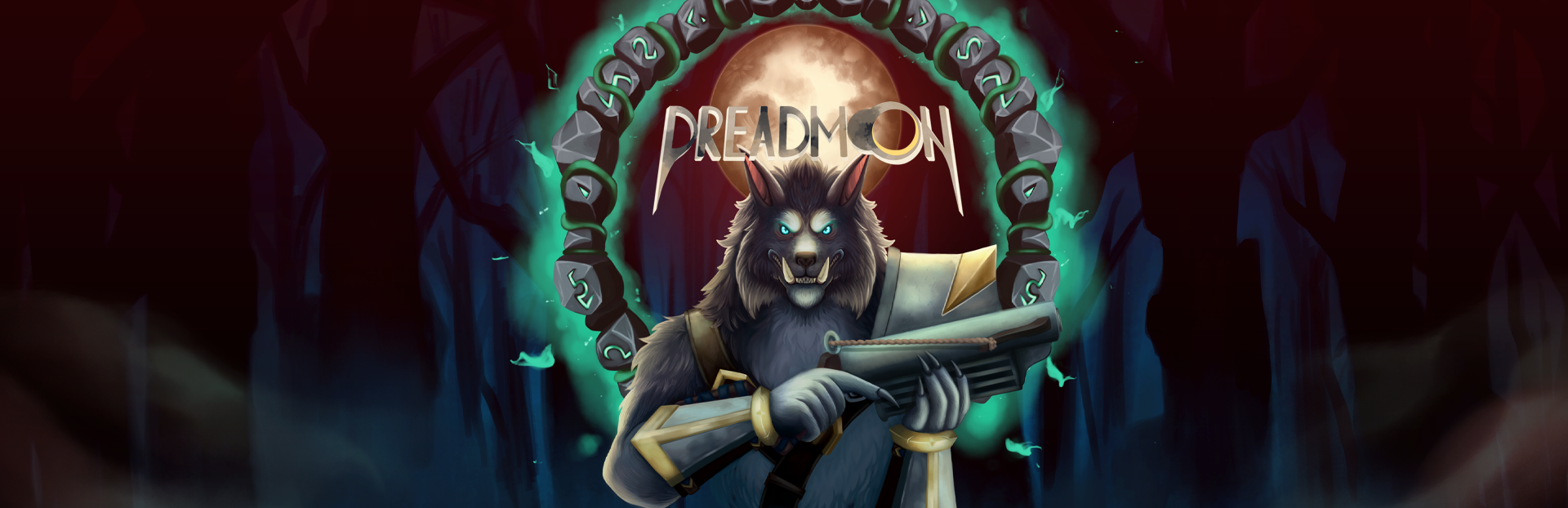
Dreadmoon is a multiplayer First Person Shooter with strong influence from early Halo games. The initial idea behind the game was to try and revitalize “boomer shooters” with a fresh take on some of the mechanics. Initially we started off with a really basic vision for the game with limited weapons and abilities. Soon this vision became larger than we initially anticipated and we had to make adjustments as a team.
Challenges
Implementing Multiplayer with network solutions
During the first stages of development in this game we knew that we were going to need a networking solution and were a bit torn between a few options. We decided on Photon Unity Networking (PUN) and continued early development steps working with this system as our networking solution. It presented some particularly frustrating issues that Photon’s initial documentation didn’t have answers for. We knew that this might be a problem going into it, because PUN was a newer tool by a smaller developer.
However, as with many new software solutions, Photon came out with a newer version of their tool: Photon Fusion. And with this, depreciated PUN and limited support using the old version. We decided to upgrade to Fusion, losing lots of time to refactoring code to fit with the new system.
At this point, there were some areas of code that were giving us lots of problems because we had a communication break down. This led us to have some parts of the project that were still using the old solution and some that were using the new ones. This was a major issue because the old system relied on Remote Procedure Calls (RPCs) from the client to the host, and the new system had a more rigid host validation of networked variables.
Finding and fixing these differences became one of my areas of expertise during the middle and towards the end of this project. I became responsible for refactoring eccentrically the whole project to utilize the new system. Through long hours and determination I managed to get the project in a stable position for multiplayer, and learned quite a bit about networking and its optimization in the process.
Developing a weapons system
Starting off, the vision of the game had very few weapons and consumables throughout the gameplay loop. And for this I implemented the basic weapons and their capabilities. I created two basic types of weapons that had variables to create different types of weapons: Raycast weapons and Projectile weapons.
Raycast weapons came with a few notable variables that allowed them to evolve into weapons like a semiautomatic rifle, or a shotgun. The first was “pellet count” which was the number of raycasts that were produced at once in order to simulate multiple bullets. Using this in tandem with the “spread” variable allowed me to create multiple bullets coming out of the weapon in a cone with a certain diameter.
Projectile weapons also had variables like “pellet count” and “spread” but the way that these were applied was very different. For projectiles, the weapon spawns in a projectile like an arrow and hands it information. This information contains variables like “projectile speed”, “fall rate”, and “prediction distance.” Since the projectile is its own entity that interacts with enemies by colliding with them we needed a few solutions to ensure that the projectile didn’t go through the target without hitting it. This is were I applied the “prediction distance” which created a raycast forwards from the arrow the length of “prediction distance” which would validate the collision that would otherwise be missed by the engine’s physics calculations.
As the weapons system evolved and we created more types of weapons that branched off of these basic types, more and more variables became necessary to fine tune the balance of each weapon. We eventually had requirements for grenade launchers, Aim Down Sight (ADS) weapons, and throwable grenades all of which required new additions to the weapon system and their own challenges. Variables that controlled spread concentration, recoil, accuracy decay, and movement sway were all additions that made this system more complex.
This is where I learned the value of UML and visual design. The system was getting so bloated that I couldn’t manage the whole thing in my head and the various aspects of each weapon and how they connected to different systems became dizzying. I had constructed my own visual design map on paper because I didn’t know about UML tools at this point, and once I learned about it, the need for it was over. Though the necessity for those tools was not lost on me, there were many points were updated UML designs could have helped the team in dramatic ways.
AI Development
During the second half of development, we were focused on the campaign of the game. We had most of the multiplayer aspects already done, but we didn’t have non-player enemies in the game. We spent some time to figure out the requirements of each of the enemies and how they were supposed to operate, and landed on some lofty goals for around 6 different types of enemies. We also landed on one boss fight for the ending of the game.
For implementation I decided to go with a state machine to control the different states that the AI could be in, which allowed me to individually define the behaviors in each state for the different enemy types. For basic implementation, I started off with a controller that contained code that executed the current behaviors task and then check for a transition signal.
From there I developed behaviors that easily interfaced with the main controller. These behaviors ranged widely in function. Some were simple like moving towards the player utilizing the NavMesh tools that Unity provided. Others were more complex, handling a patrol system that utilized enemy vision and shifted them between different attack modes and styles.
This was also during the time were we made the transition from Photon Unity Networking to Photon Fusion, so the networking systems that the AI were using to ensure that they synced with clients needed major refactoring. This took a particularly long time because the state machine relied on RPCs to function properly. Subsequently each behavior also needed a rework, and in doing so introduced new issues that took a while to figure out.
All together, the ending product was really smooth AI enemy behavior that had many different abilities that created interesting combat scenarios for players. The boss fight was created separately from the other types of AI because the normal state machine didn’t allow for environmental triggers that we wanted in the boss fight. So utilizing similar practices I developed the Boss fight with the addition of lane-type attacks and other environmental attacks. I also implemented the ability for the boss to spawn in other types of enemies.

Project Background
Lab Rags is a single player puzzle platformer based around the idea of using your past failures as stepping stones for future success. The development of this game was heavily influenced by Portal 2 and the Lemmings game. You are a crash test dummy that has a levitation gun that allows you to both collect and spawn different forms of yourself after you die and respawn. Your previous body can then be used to solve puzzles and block hazards. Taking on these unique mechanics presented some interesting design challenges as well as unforeseen interactions that caused some problems.
Challenges
Clashing Mechanics
During the initial stages of development in this game we didn’t have that many mechanics to contend with. We had the ability to die and respawn, move around our previous body, spike traps and traversal puzzles that had more than just one solution. It soon became obvious to the team that we needed more mechanics so that we could create interesting levels that challenged our players.
First was the development of more environmental hazards. Things that made our player have to utilize skill, timing, and the body mechanic to overcome. We thought up a number of these, and I was in charge of bringing them to life. One particularly fun implementation was the button maze. Like in Indiana Jones I created a hallway of buttons that you had to traverse in order to unlock the next section. Each of these buttons revealed traps of various kinds: turrets, spikes, etc. The particularly difficult part was blocking the turrets once they had been activated, making this puzzle too difficult for players.
Instead of scraping the mechanics, we built a new one that allowed the player to use the gun they had to form new shapes with the bodies they had instead of just ragdolls. Now with the addition of cube bodies, this puzzle was less tedious to complete as you could block the turrets and spikes easily.
However, once we did this it opened up the possibilities for the players to really break the game. Now the players could build towers, and fly on top of the cubes if they picked them up while on top of them. This “solution” while providing us more interesting mechanics introduced design problems that we didn’t anticipate.
The rest of the development went similarly to the previous story. If we had an idea, the team quickly married it into the project without thinking of implications for the mechanics that we already had. Thus designing levels and utilizing the mechanics in meaningful ways became harder and harder. I did my best to catch these edge cases and handle them according to what would make sense in the scope of our game, but some fixes weren’t possible with other mechanical requirements.
This beautifully illustrates the need for proper planning and testing. After the project, we discussed how the initial mechanics were more than enough to develop a fully polished game. We could have utilized clever level design and pacing to properly build into other mechanics as the game progressed, slowly building into more mechanics as the pacing demanded. Along with this idea, we could have had more time with each of the new mechanics to really see how they would interact with previous ones. We did the testing phase after big additions without making sure that they were going to fit well with the other mechanics.
Performance and Optimization
One of the biggest problems that we had during the development of Lab Rags was the ability for the player to spawn infinite amounts of bodies. We discovered that one particularly impatient play tester would pile bodies in front of the ending area in order to make these kinds of stairs they could walk on to reach the goal. Not only was this not the intended path, it was also causing frame drops on this players computer.
In order to solve this, I implemented an asset pool, which allowed for a specific amount of bodies to be present in the scene at one time. By reusing a set number of bodies in the scene, this improved performance dramatically. It also stopped players from abusing the idea of mass spawning bodies to solve puzzles. However, this introduced a new problem: players didn’t like bodies just de-spawning.
We found that players were confused when bodies they placed earlier would disappear, sometimes ruining structures they build to traverse areas. I decided to create a narrative solution that gave a reason for the bodies to disappear. I created the cleaning robots that would come from specified places in the levels and like a flying Rumba, it would collect the oldest bodies and recycle them.
This solution provided a little narrative to the players situation and some humor as the ragdolls would act in random ways when picked up. Applying this to the asset pool was simple enough, and the game felt more alive because of it.
 Jesse Saunders